How To Find Someone's Email On LinkedIn

Have you ever found someone on LinkedIn you really wanted to contact, but couldn’t find their email anywhere?
You send a connection request, maybe try InMail, and then wait… and wait.
That’s the problem. InMail often gets ignored, and connection requests can sit pending for weeks.
If you’re in sales, outreach, or job hunting, especially as part of sales teams looking to connect with decision makers, this delay can cost you real opportunities.
LinkedIn has become the go-to platform for professionals, with over 774 million users worldwide.
That’s why in this guide, we’re going to show you 5 proven ways using proven methods to find someone’s email on LinkedIn
Here are the key takeaways:
5 Proven Ways to Find Emails on LinkedIn
* ➤ Use Leadsforge – Find and verify emails quickly, without scraping.*
➤ Check LinkedIn Contact Info – Many professionals share their work email under the profile’s “Contact Info” section.
➤ Leverage Google Search Operators – Use smart searches to uncover emails from cached pages, PDFs, or bios.
➤ Look for Company Domain Patterns – Spot the company’s standard email format, then apply it to your contact’s name.
➤ Use LinkedIn Messages Strategically – Ask directly or through a mutual connection for faster replies.
By the end, you’ll know which method works best if you just need 1–2 emails today, and which fits if you’re building a prospect or lead list targeting your ideal customer profile.
Lead lists are essential for organizing and managing contacts efficiently for outreach or sales campaigns.
When dealing with many prospects, the right tools and methods help you avoid duplicate outreach and improve your efficiency.
Let’s begin!
1. Use Leadsforge to Find Emails from LinkedIn
The easiest way to get someone’s email on LinkedIn is by using a tool that’s built for it.
Leadsforge is a LinkedIn email finder tool and email finder tool designed to help you find verified email addresses from LinkedIn profiles efficiently.
My top pick is Leadsforge, because it finds verified emails quickly, works at scale, and doesn’t rely on scraping.
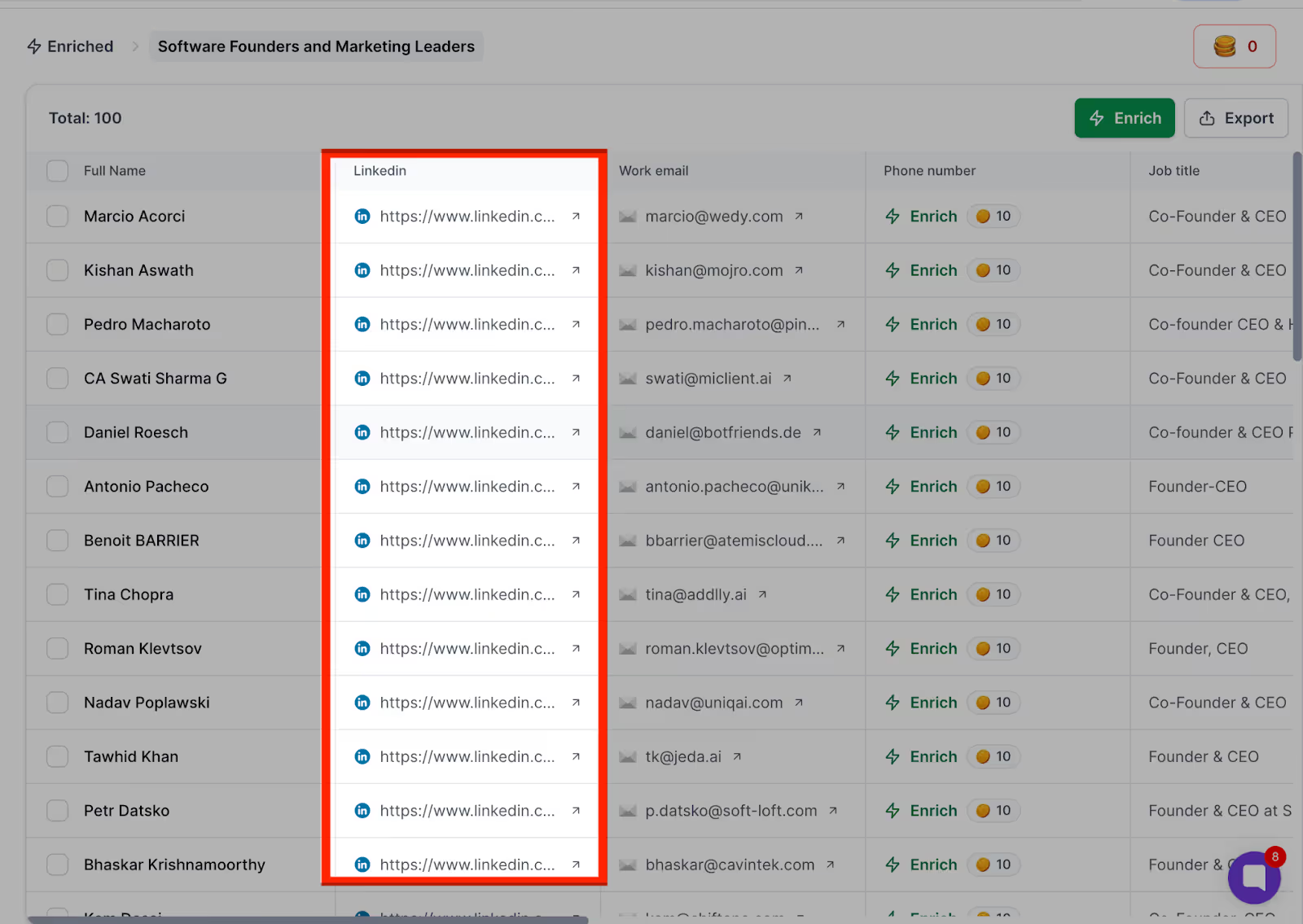
With Leadsforge, you can:
- Search through 500M+ contacts to uncover accurate email addresses.
- Automatically verify emails so you avoid bounces.
- Find verified email addresses, accurate emails, and valid emails with built-in email verification and clear verification status indicators.
- Use the built-in email verifier to validate email addresses in real-time, improving deliverability rates and reducing bounces during your campaigns.
- Use the Chrome extension and LinkedIn extension, both available in the Chrome Web Store, for quick access to contact data.
- Extract emails, extract email addresses, and find email addresses directly from LinkedIn profiles, including from first degree connections, search results, and by using the LinkedIn profile URL or LinkedIn URL.
- Export leads as a CSV file and integrate with your prospecting workflow, use as a bulk email finder, and minimize manual work and manual effort.
- Organize and manage contacts into lead lists for efficient outreach and campaign management.
- Retrieve contact data such as job title, company name, and accurate data from LinkedIn profiles.
- Enjoy compatibility with LinkedIn Sales Navigator, Sales Navigator, and LinkedIn Recruiter for advanced prospecting.
- Choose between a free plan and paid plan options to fit your needs.
- Access other features like integration with other tools, and consider alternatives such as AnyMail Finder and Saleshandy Connect.
- Build targeted prospect lists from LinkedIn profiles, company lookalikes, or page followers.
- Export your results as CSV or connect directly with Salesforge for outreach.
Leadsforge and similar tools help you verify email addresses using advanced algorithms and databases, ensuring higher accuracy and better results. This is especially important when managing many prospects, as it helps avoid duplicate outreach and streamlines your workflow.
Many email finders use algorithms to predict and verify up-to-date email addresses, which improves your email deliverability rates and reduces bounce rates by providing accurate email addresses.
Keep in mind that many LinkedIn email finder tools return outdated or inaccurate data, and more than 80% of tested tools failed to consistently extract verified email addresses.
Comparison with other tools:
- Saleshandy Connect has an accuracy rate of finding emails for 95 profiles out of 100.
- Apollo.io does not have a built-in email verifier, which can lead to invalid email addresses being shown as valid.
- Skrapp.io validates emails in real-time, indicating whether they are valid or not.
- Prospeo shows the verification status for emails, marking them as valid, risky, or invalid.
- GetProspect offers a free forever plan that includes 600 valid emails and 1,200 email verification credits.
- Wiza provides real-time verified contact details, including email addresses and phone numbers.
- Kaspr allows users to access phone numbers, email addresses, and company details without leaving LinkedIn.
- LeadLeaper provides engagement history to avoid duplicate outreach.
- SalesQL provides extra details like phone numbers, work history, and social profiles in seconds.
You also get 100 free credits to try it out, making it easy to test before scaling.
If you’d like to try it out, you can start with Leadsforge here.
2. Check Their LinkedIn Contact Info Section
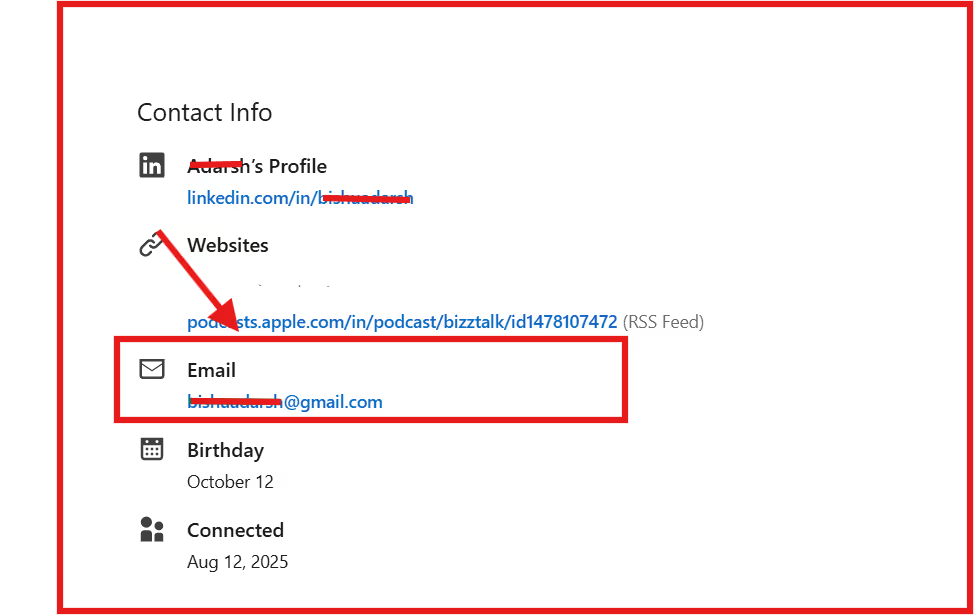
Another simple way to find someone’s email on LinkedIn is by checking the Contact Info section on their profile. Note: You need a LinkedIn account and be logged in to access the Contact Info section.
In this section, many professionals include:
- Their work email
- A link to their website or portfolio
- Links to company pages
- Sometimes even a direct phone number
To access it, just open the profile, click “Contact Info” under their headline, and check the popup.
This method works best for people who want to be contacted, like founders, consultants, or freelancers.
3. Use Google & Advanced Search Operators
When an email isn’t available on LinkedIn, you can often find it with a quick Google search.
Using search operators helps you narrow results so you’re not digging through hundreds of pages.
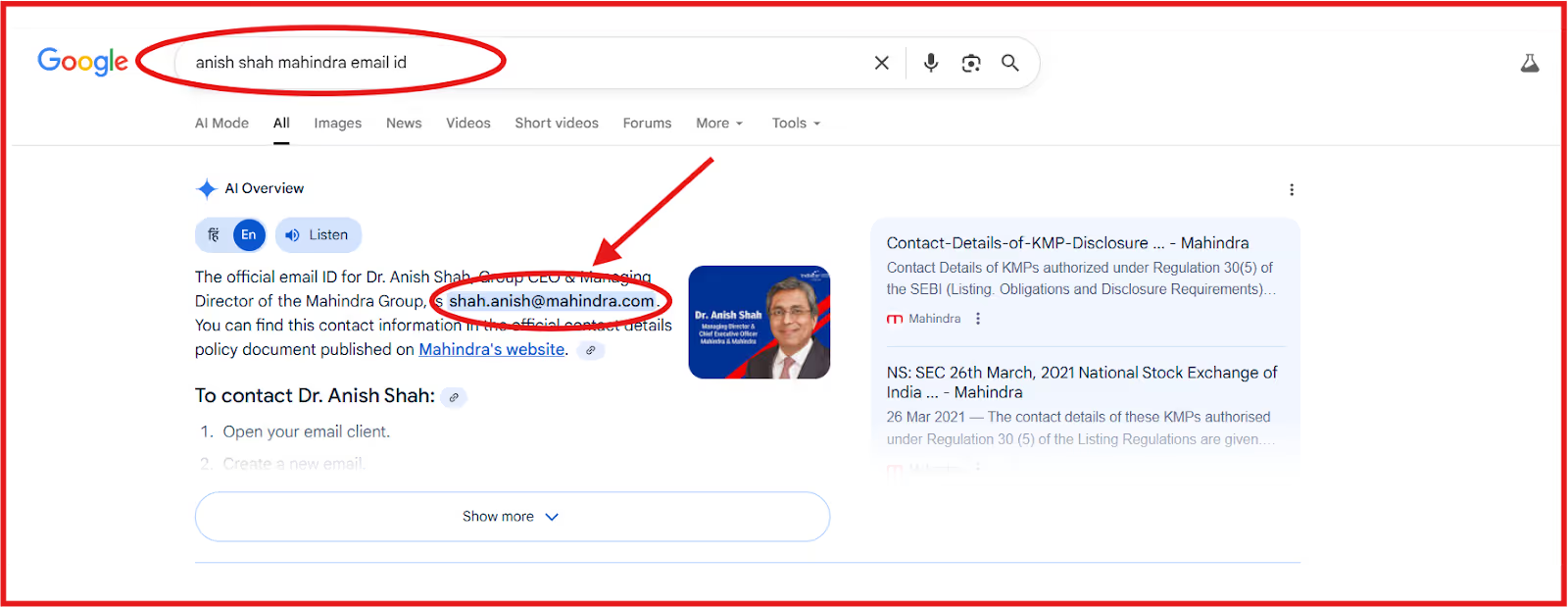
Here are some simple searches you can try:
- “First Last” + company + email
- “First Last” + @company.com
- site:linkedin.com “First Last” “email”
Including the LinkedIn URL in your search can help narrow down results and directly target the specific profile you’re interested in.
These searches may reveal:
- Emails published in event speaker bios or press releases
- Contact details in PDFs, blog posts, or cached web pages
- Mentions of the person’s email across other public sites
This method is free and easy. Sometimes you’ll get the exact email in seconds; other times, you may not find anything at all. If Google search doesn’t work, there are other methods—like using email lookup tools, browser extensions, or LinkedIn filters—to find emails from LinkedIn profiles.
4. Use Company Email Patterns
Many companies give all employees the same style of email address. This works well because LinkedIn is a professional networking platform, and most companies use standard email formats for their staff.
Once you know the format, it’s easy to figure out your contact’s email.
Common company email formats:
- firstname.lastname@company.com
- firstname@company.com
- firstinitiallastname@company.com
How to do it:
- Visit the company’s website (About page, Press page, or Team page).
- Find any email listed, even a generic one can reveal the format.
- Apply that format to the person’s name from LinkedIn.
This method is simple and works best for medium to large companies that use a consistent email structure.
To be safe, always run the email through a verification tool before you send your message. When reaching out to guessed emails, make sure to comply with privacy laws and respect individuals' privacy.
5. Use LinkedIn Messages Strategically
If you can’t find someone’s email directly, the simplest option is to just ask them on LinkedIn.
A short, polite message can often get you the exact email you need.
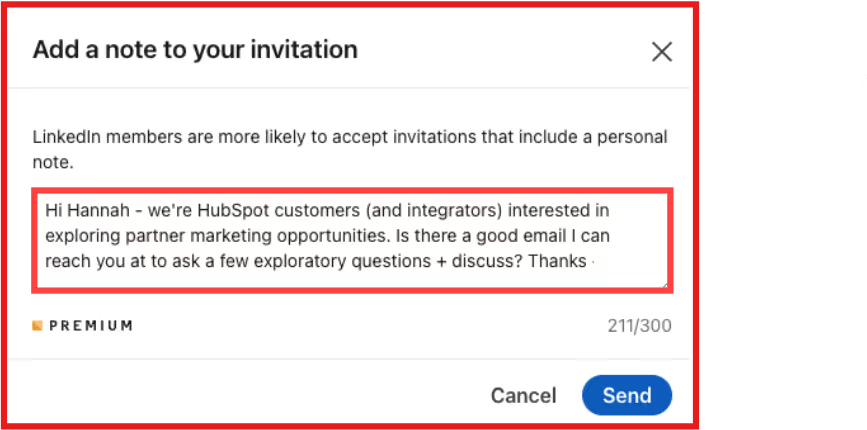
You might write:
Hi [Name], I'd love to share a quick idea about [your service/value]. What's the best email to reach you?
This approach works especially well if:
- You already have a mutual connection or some common ground.
- You're in an industry where trust and relationships matter.
- You want to start the conversation in a professional, respectful way.
It's not the fastest method, but it's one of the most genuine.
Often, people are more willing to reply with their email when they understand who you are and why you want to connect.
How To Reach Out To Those Emails on AutoPilot Using Salesforge
Once you've found the right emails, the next step is getting your message in front of them, without landing in spam.
That's exactly what Salesforge is built for.
With Salesforge, you can:
- Run multi-channel outreach → email + LinkedIn with unlimited senders and mailboxes.
- Keep your emails landing in the inbox with Warmforge, their built-in deliverability tool (97–100% inbox placement reported in case studies).
- Scale campaigns globally with multi-language sequences.
- Connect easily with your CRM and other tools (30+ integrations).
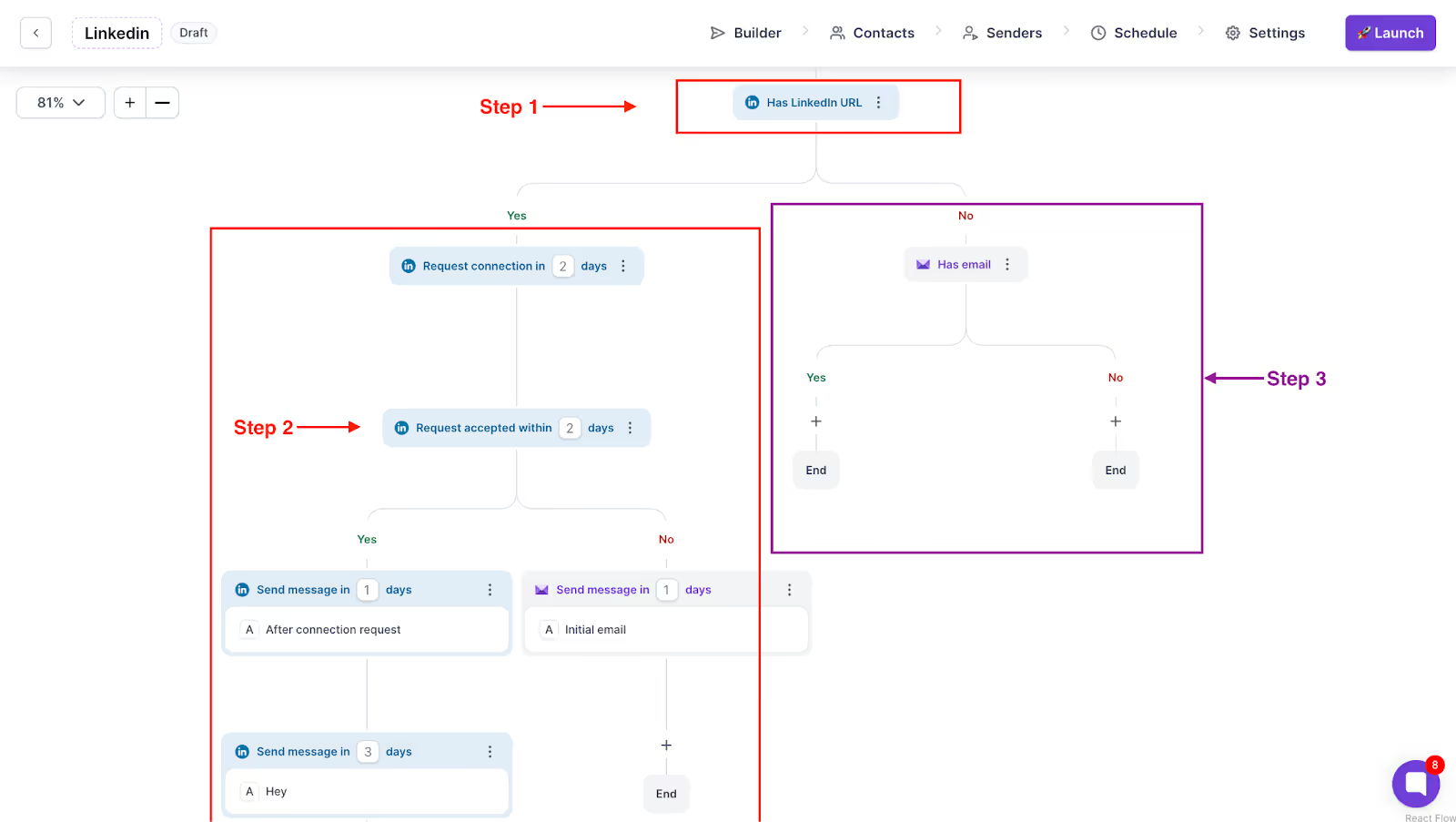
For teams that want full automation, Salesforge also offers Agent Frank, their AI SDR.
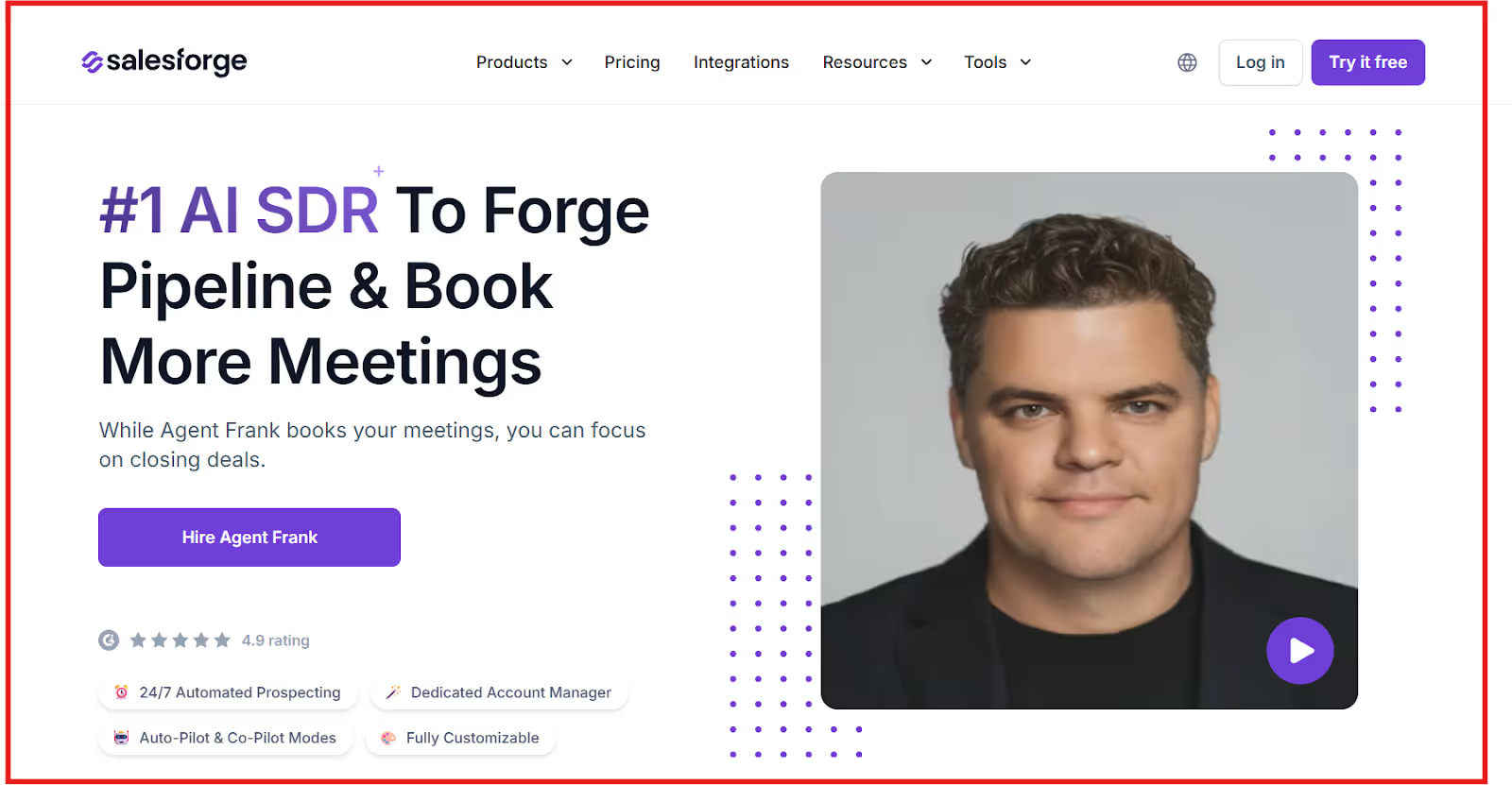
Agent Frank can:
- Prospect, send emails, and follow up automatically.
- Personalize at scale across 20+ languages.
- Book meetings directly into your pipeline.
Pricing:
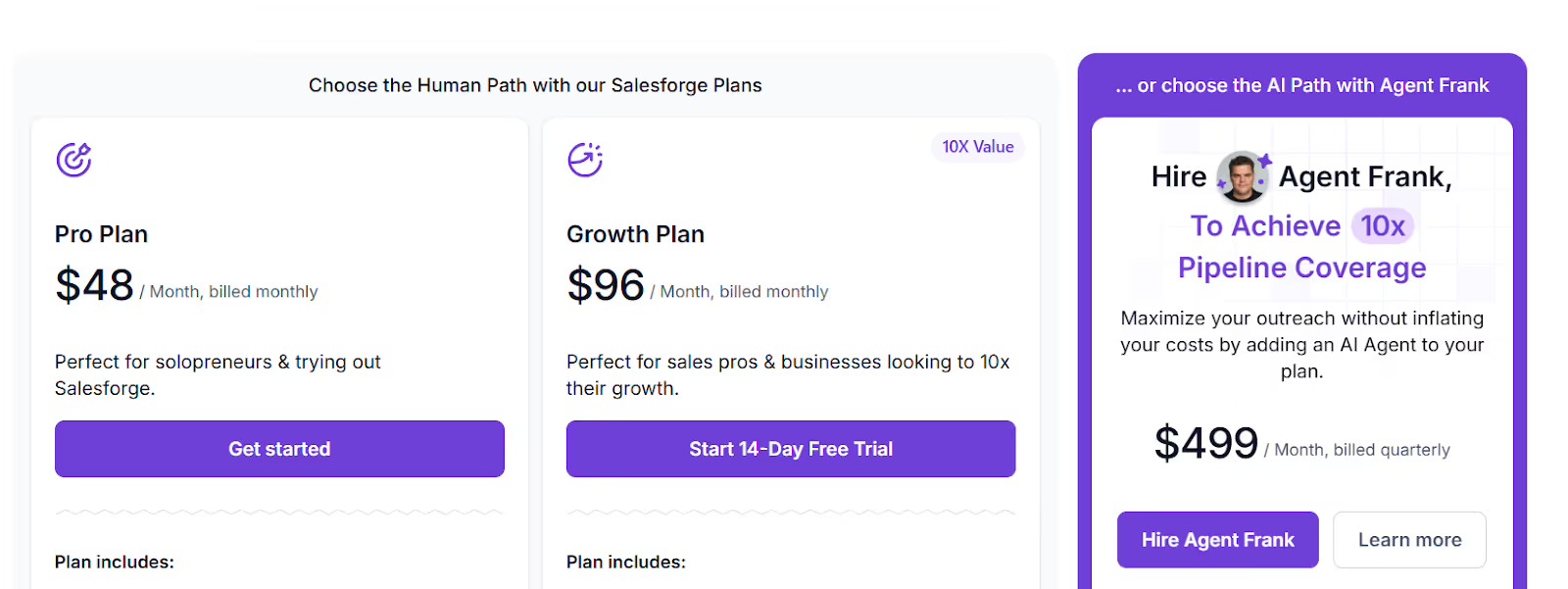
- Pro Plan → $48/month (solo users).
- Growth Plan → $96/month (scaling teams, includes unlimited LinkedIn senders).
- Agent Frank → $499/month, billed quarterly (AI autopilot outreach).
👉 If you’re ready to take the emails you find on LinkedIn and turn them into real conversations, Salesforge makes it possible to run outreach on autopilot, at scale and with confidence.
And if you’re interested in finding out phone numbers you can watch this video -
Conclusion
Finding someone's email on LinkedIn doesn't have to be hard. You now know 5 proven ways:
- Use Leadsforge to get verified emails quickly.
- Check LinkedIn Contact Info for emails people share directly.
- Search with Google using smart operators to uncover hidden emails.
- Use company email patterns to figure out addresses based on their domain.
- Send a LinkedIn message and politely ask for the best email.
Each method works in different situations. If you just need one or two emails, checking Contact Info or using Google can do the job.
If you want a bigger list, tools like Leadsforge make it faster and more reliable.
And when you're ready to reach out at scale, Salesforge helps you do it on autopilot, with unlimited LinkedIn + email outreach, strong deliverability, and even an AI SDR to handle the work for you.
👉 LinkedIn is the starting point, but getting verified emails, and sending outreach that actually lands in the inbox, is what turns opportunities into results.



.png)